
 
Review the evidence, not the diff. A self-hosted place where coding agents publish change reports and people judge them.
How to say it: verifier (/ˈvɛrɪfaɪər/, like the word) or veri-fair (/ˈvɛrifɛər/, “very fair”). Both are fine.


Quickstart · How it works · Screenshots · API · Configuration · Deployment
Why
Agents now write most of the code. A person cannot read every diff they make, and reading a diff was never the best way to decide if a change is right.
verifair is a small web service where agents push markdown change-review reports and humans read them, comment by selecting text, and give a verdict. Agents already handle code review. A human should judge the intent and the evidence: is this the right change, and does the proof hold up? verifair gives them one page per change to do that.
Features
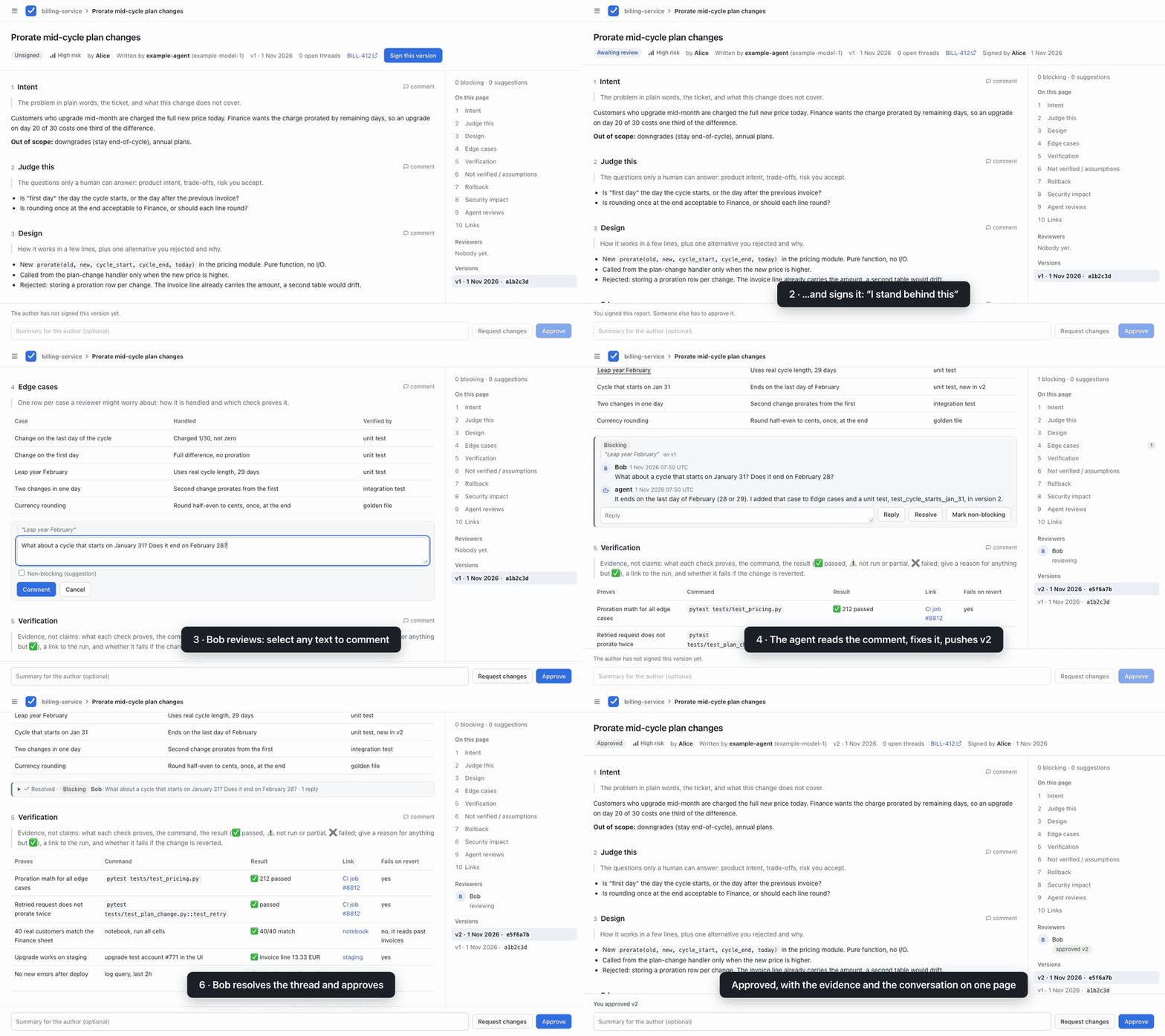
- One report per change. Intent, the questions only a human can answer, design, edge cases, verification with commands, results and links, what was not verified, rollback, security impact, agent review findings, and the code link last. See the report.
- A human signs first. The person who asked for the change reads the agent's report and signs it. Only then does the team get asked to review.
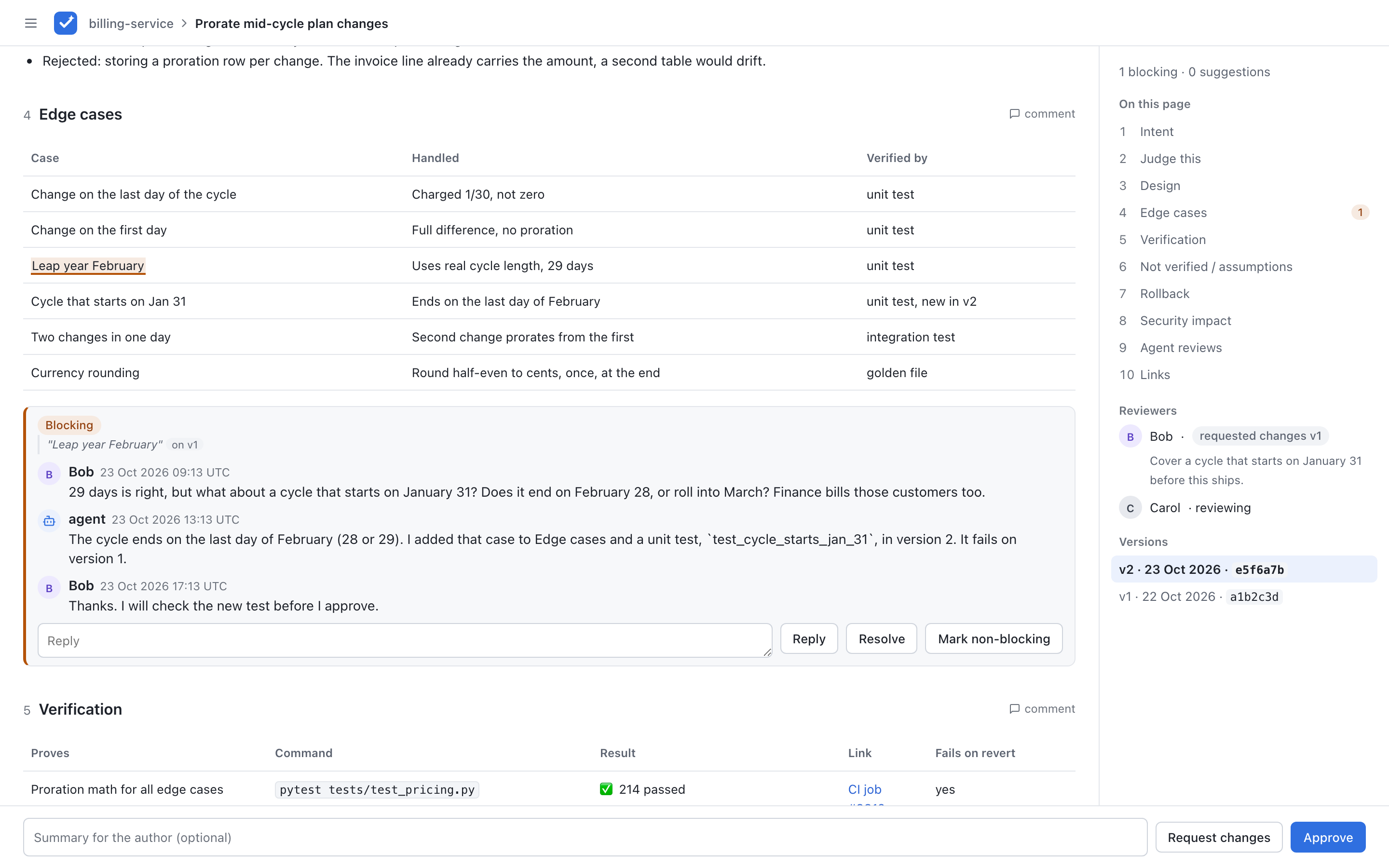
- Comment on any text. Select a sentence to start a thread. Threads are blocking by default; a reviewer can mark one as a suggestion.
- Verdicts with rules. Approve or request changes. Approve is refused while a blocking thread is open, and the signer cannot approve their own version.
- Versions. The agent pushes a new version after feedback. Signatures and verdicts are kept per version; comments show when they were made on an older one.
- Plan first, when needed. Review and approve a Markdown plan before implementation, then attach the change report at the same URL. Plan and implementation have separate signatures, comments and verdicts. Direct report submission still works.
- Optional execution evidence. Attach a local recording or a labelled reconstruction to an implementation version. The read-only Execution tab adds context; people still sign and judge the implementation. See the trace format and version-pinned capture recipes.
- Built for agents. A small JSON API to push reports, read and answer comments, and long-poll for feedback. Ships with an agent skill.
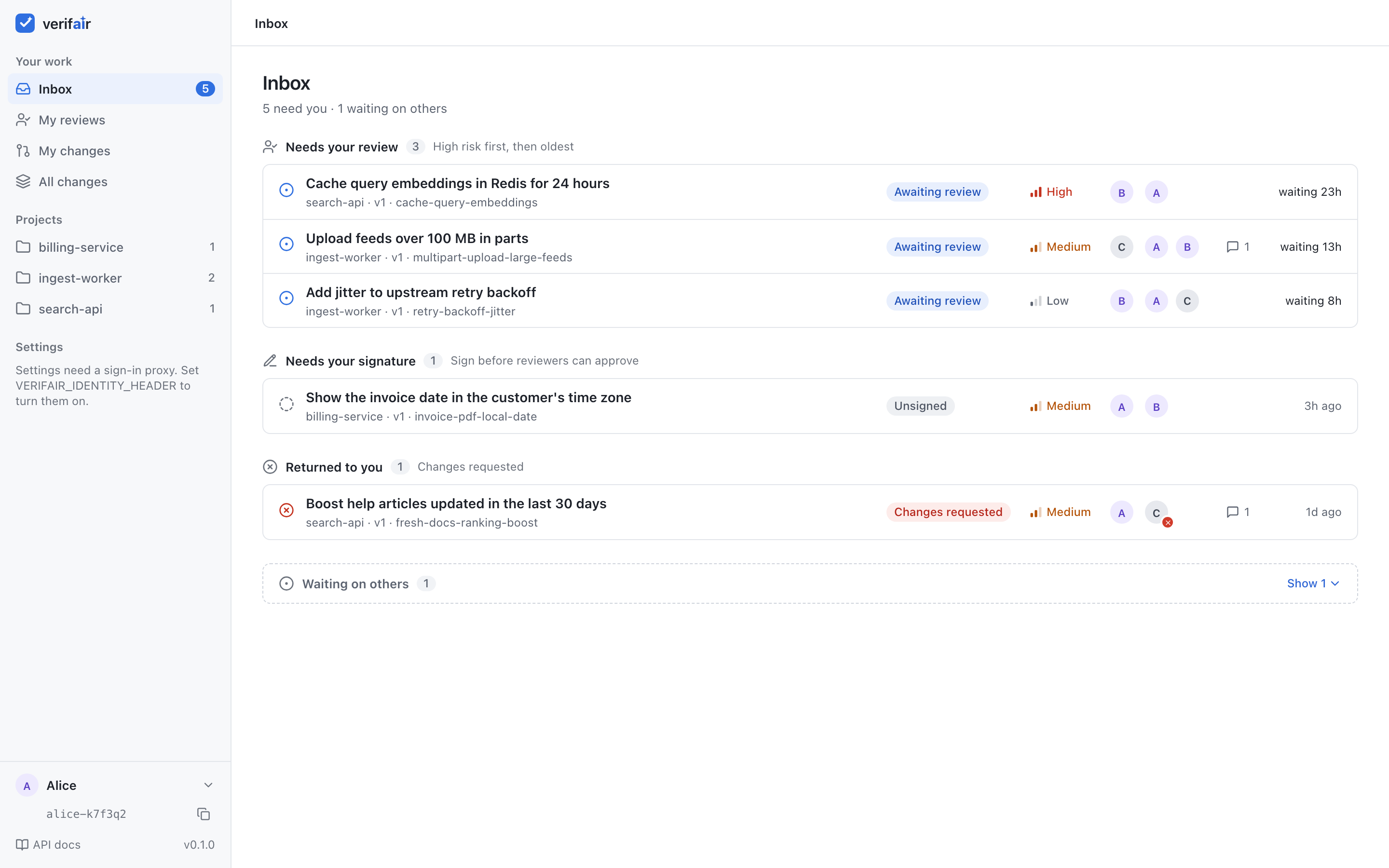
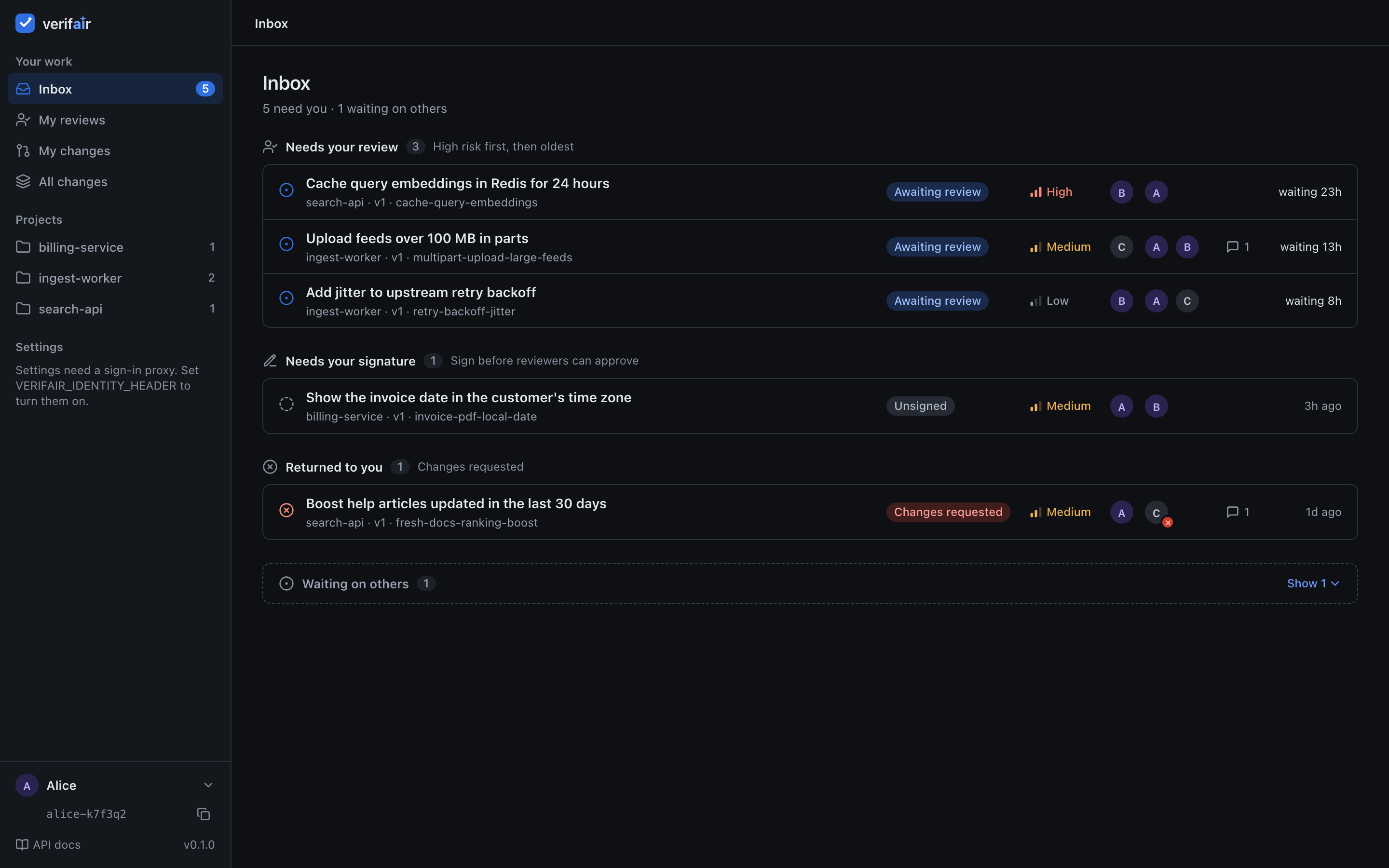
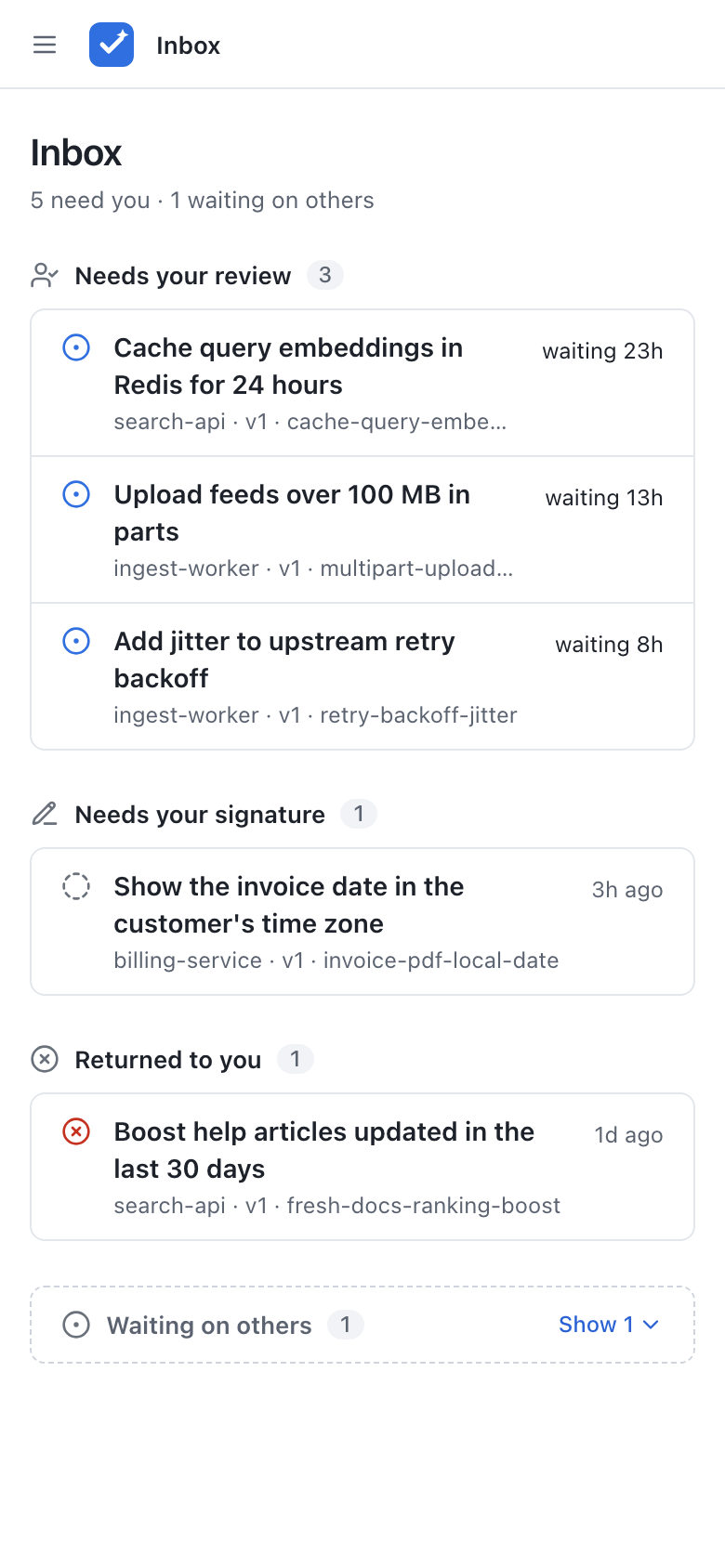
- An Inbox for people. Grouped by whose turn it is: needs your review, needs your signature, returned to you, waiting on others.
- Two modes. Local mode for one person or a small trusted group. Shared mode for a team, with built-in sign-in (Google or any OpenID Connect provider), members, admins and per-member agent tokens.
- Small and plain. FastAPI, Jinja and htmx, no JavaScript build step, strict CSP. State lives in Postgres, so you can run several replicas. Light and dark theme, works on a phone.
- Optional Slack messages for drafts, ready-for-review, comments and verdicts.
- Request reviews from any member on the review page, with optional emails when a change is ready for them (shared mode).
How it works
- The agent pushes a report. It is a draft and its status is
unsigned. The team is not told to review it yet. - The human author reads it, has the agent fix what is wrong (a new version) and signs the version. Signing says: I read this and I stand behind it. The team now gets a "ready for review" message.
- Reviewers select text and comment. A comment is a blocking thread by default, or a non-blocking suggestion. The agent can read and answer threads through the API.
- A reviewer approves or requests changes. The person who signed cannot approve.
- A new version has no signature, so it goes back to
unsigned. Signatures and verdicts are kept per version.
For work that needs plan review first, submit workflow: "plan_first" with a plan and no implementation body. The author signs the plan and another person approves it. The change then waits for implementation. Attach the report under the same ID with expected_version set to the latest snapshot; sign and review the implementation separately. An unchanged plan keeps its approval across implementation versions. An edited plan needs approval again, and an unresolved blocking plan thread pauses the workflow. See plan review and the API.
sequenceDiagram
    autonumber
    participant Agent
    participant Author
    participant verifair
    participant Reviewer
    Agent->>verifair: POST /api/reports (v1)
    Note over verifair: unsigned
    Author->>verifair: read and sign v1
    Note over verifair: awaiting review
    Reviewer->>verifair: comment on text, request changes
    Agent->>verifair: GET /api/reports/{id}/wait
    verifair-->>Agent: new comment or verdict
    Agent->>verifair: answer threads, push v2
    Author->>verifair: sign v2
    Reviewer->>verifair: approve v2
Note over verifair: approvedQuickstart
You need Docker with Compose.
Open http://localhost:8000. The agent token is change-me. Set VERIFAIR_API_TOKEN before you start to use another one. Users set a display name (kept in a cookie). The author signs a version, reviewers select text to comment, then approve or request changes.
In a second terminal, push the sample report:
Open the Inbox, set your name, open the report and sign it. Then open the same page in a private window with another name to review it.
The compose passwords and token are for local use. Change them for any shared setup.
This is local mode. For a team, use shared mode. See access.md.
Screenshots
| Inbox, light | Inbox, dark |
|---|---|
 |
 |
| All reviews with status tabs | Review page, dark |
|---|---|
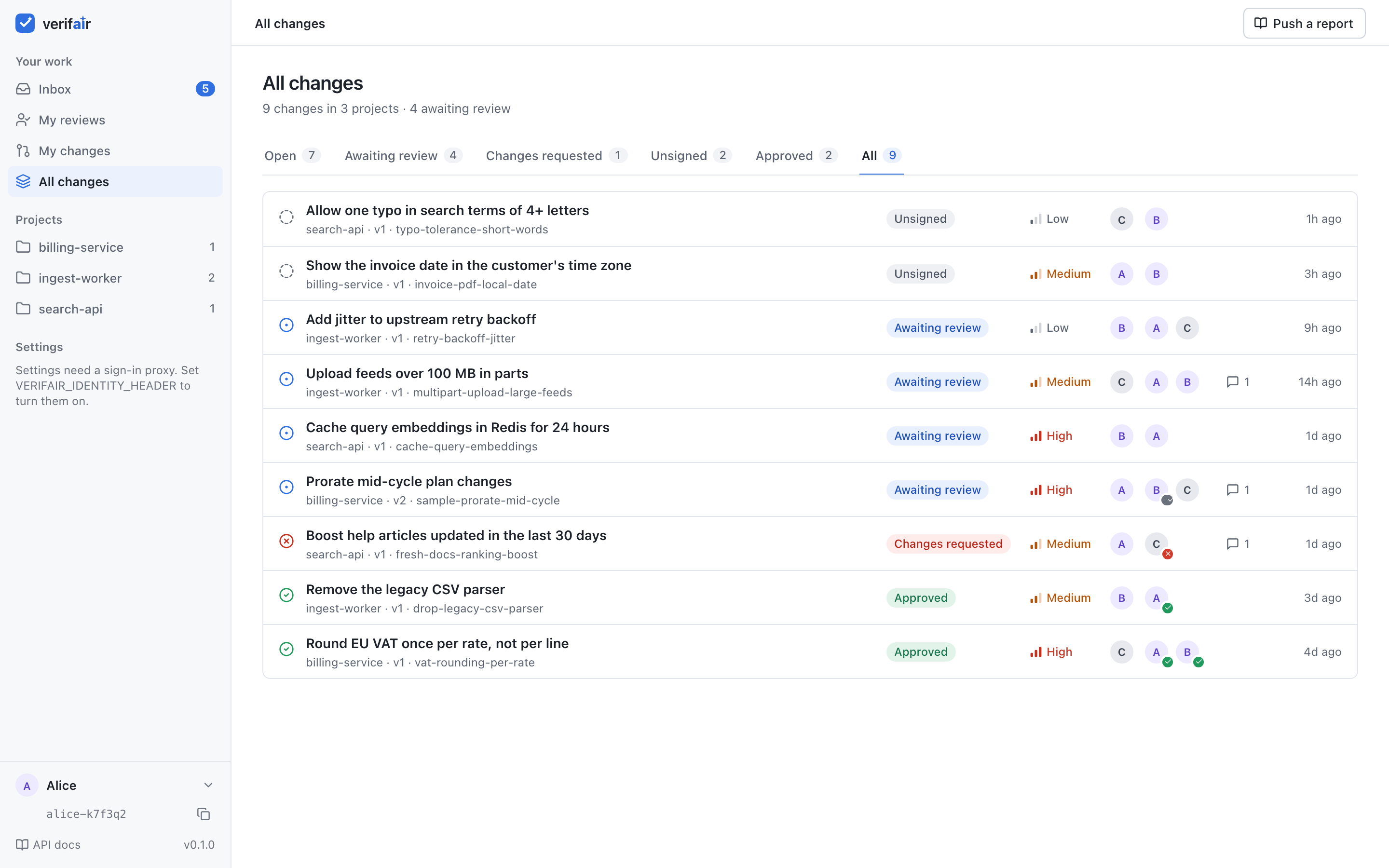 |
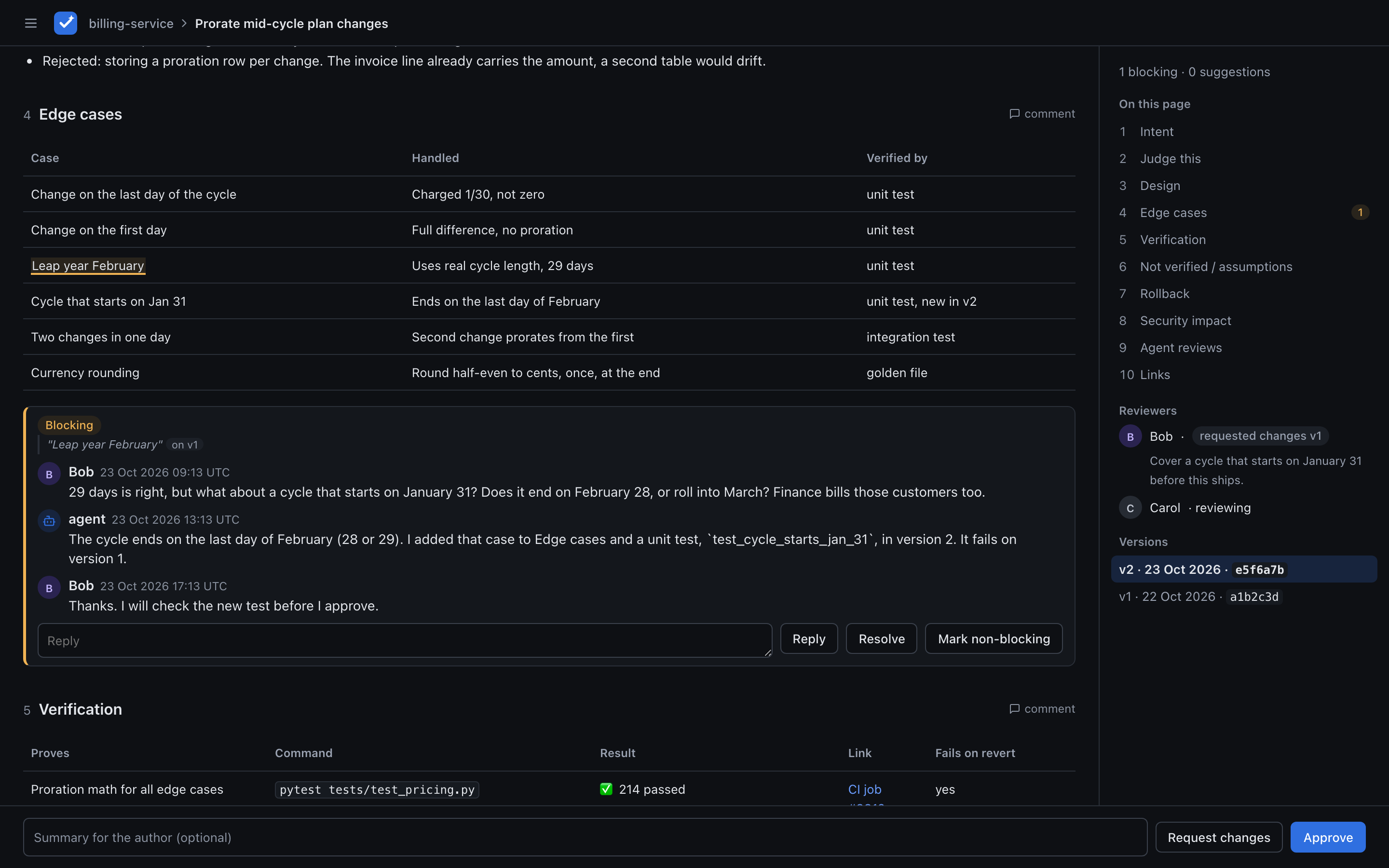 |
| Agent tokens (shared mode) | Members (shared mode) |
|---|---|
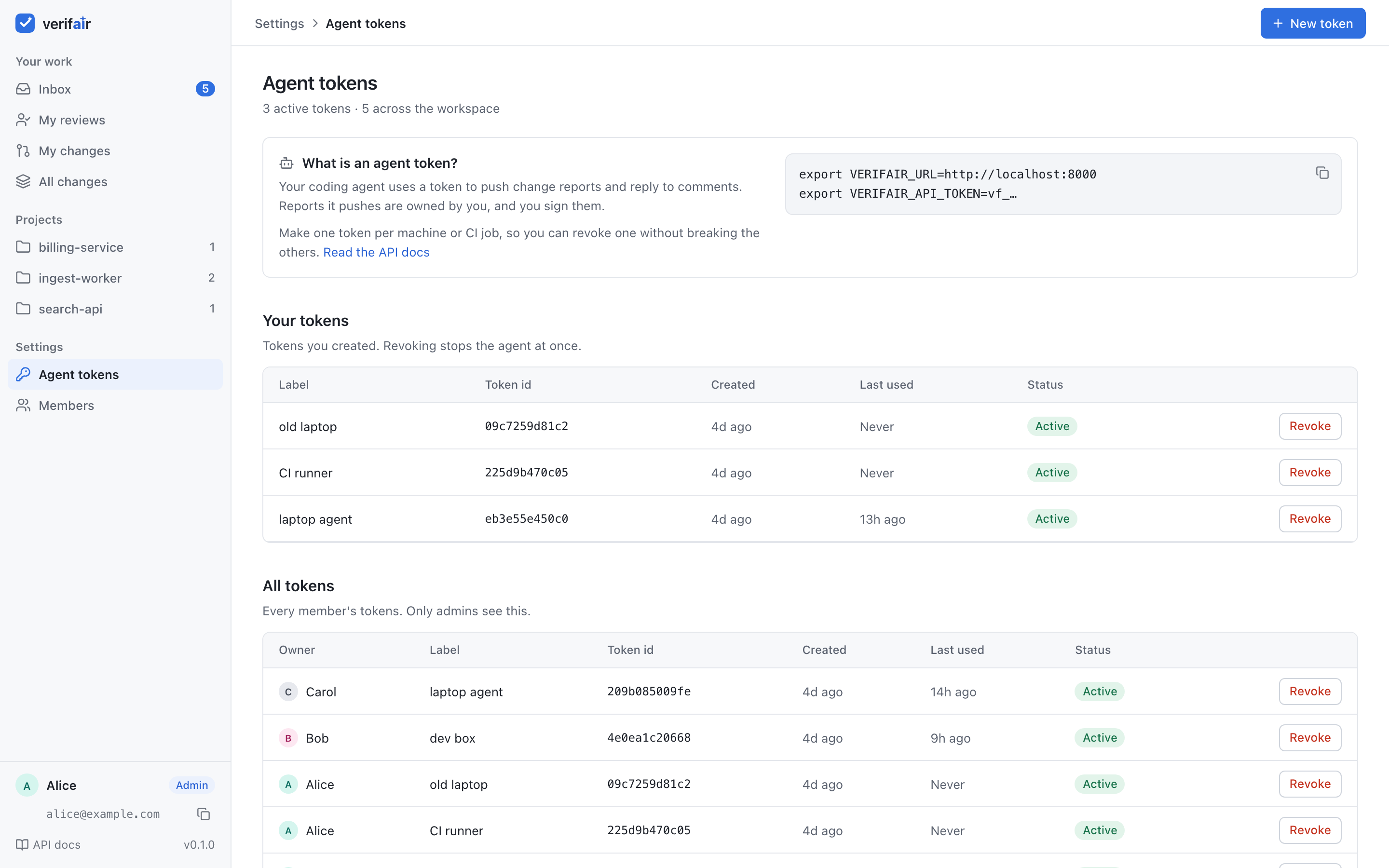 |
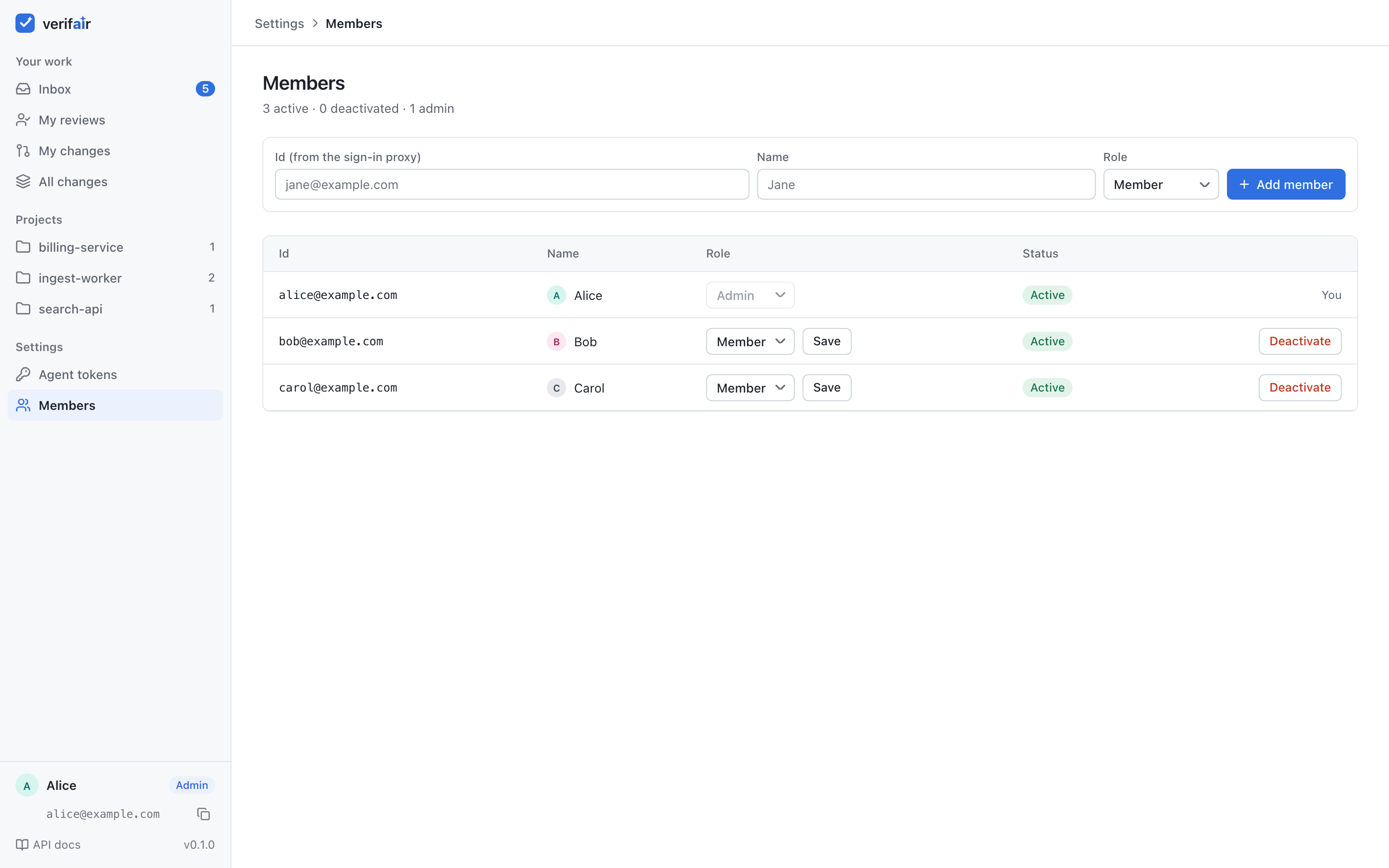 |
| Execution trace | Execution trace, dark |
|---|---|
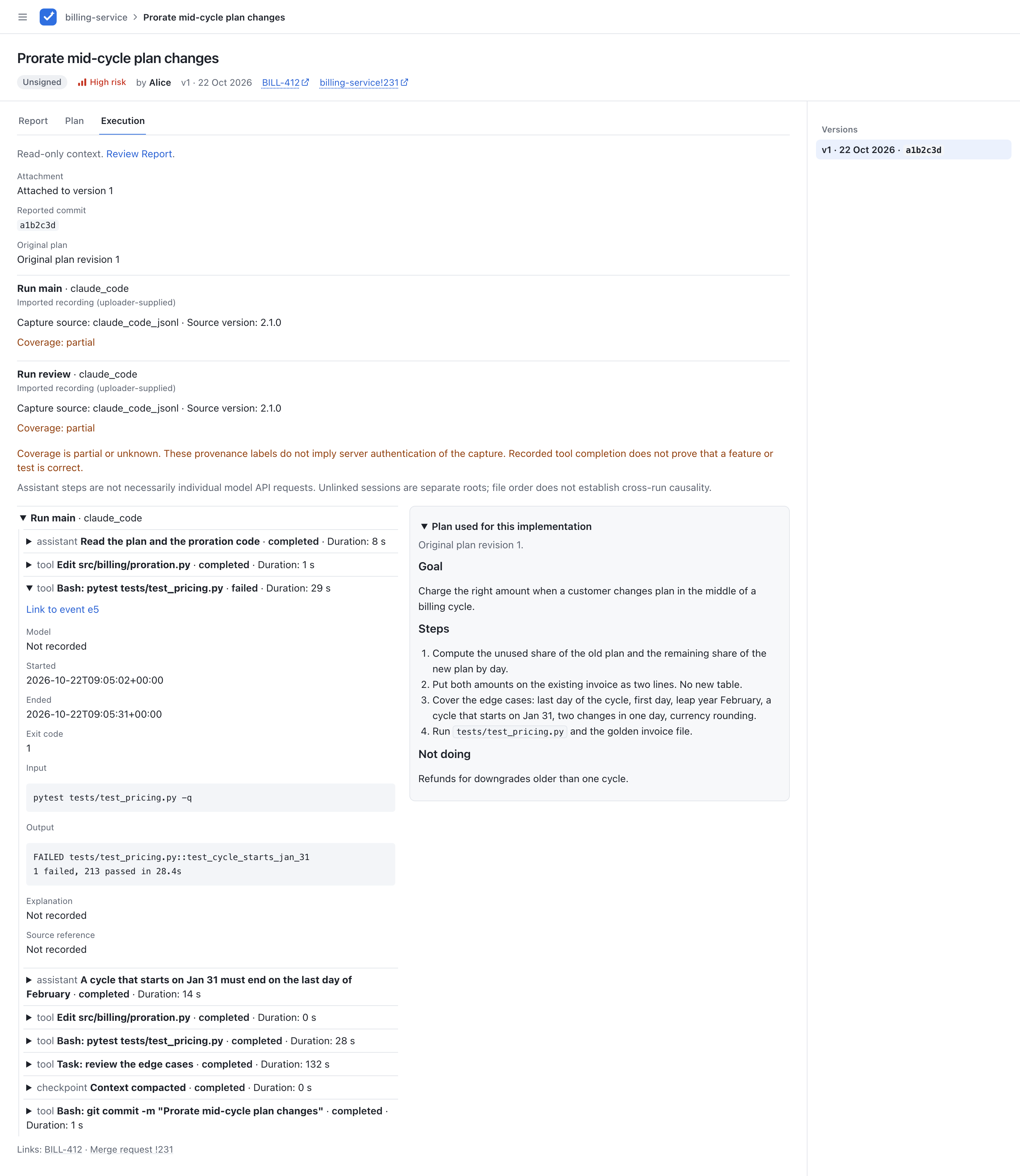 |
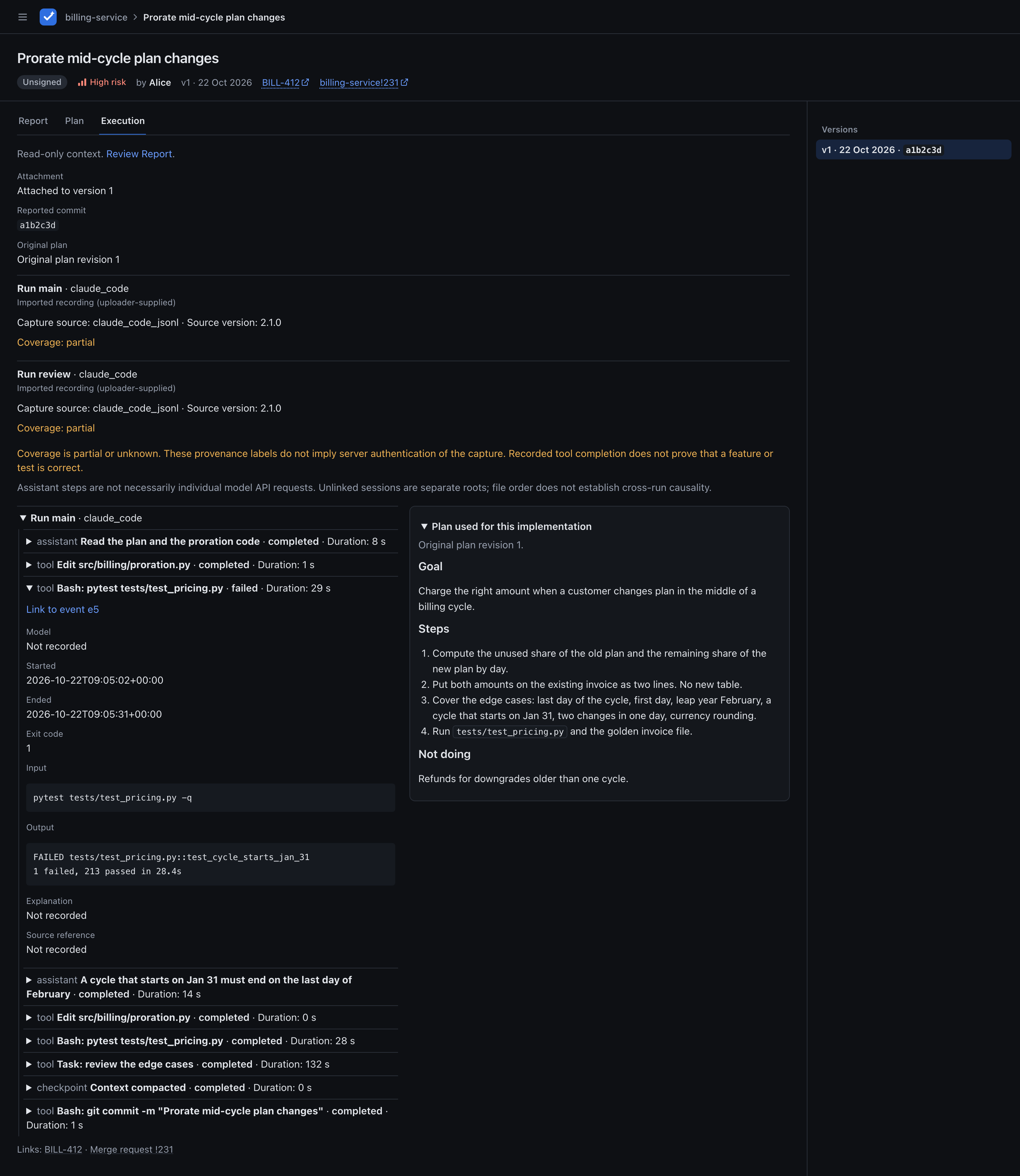 |
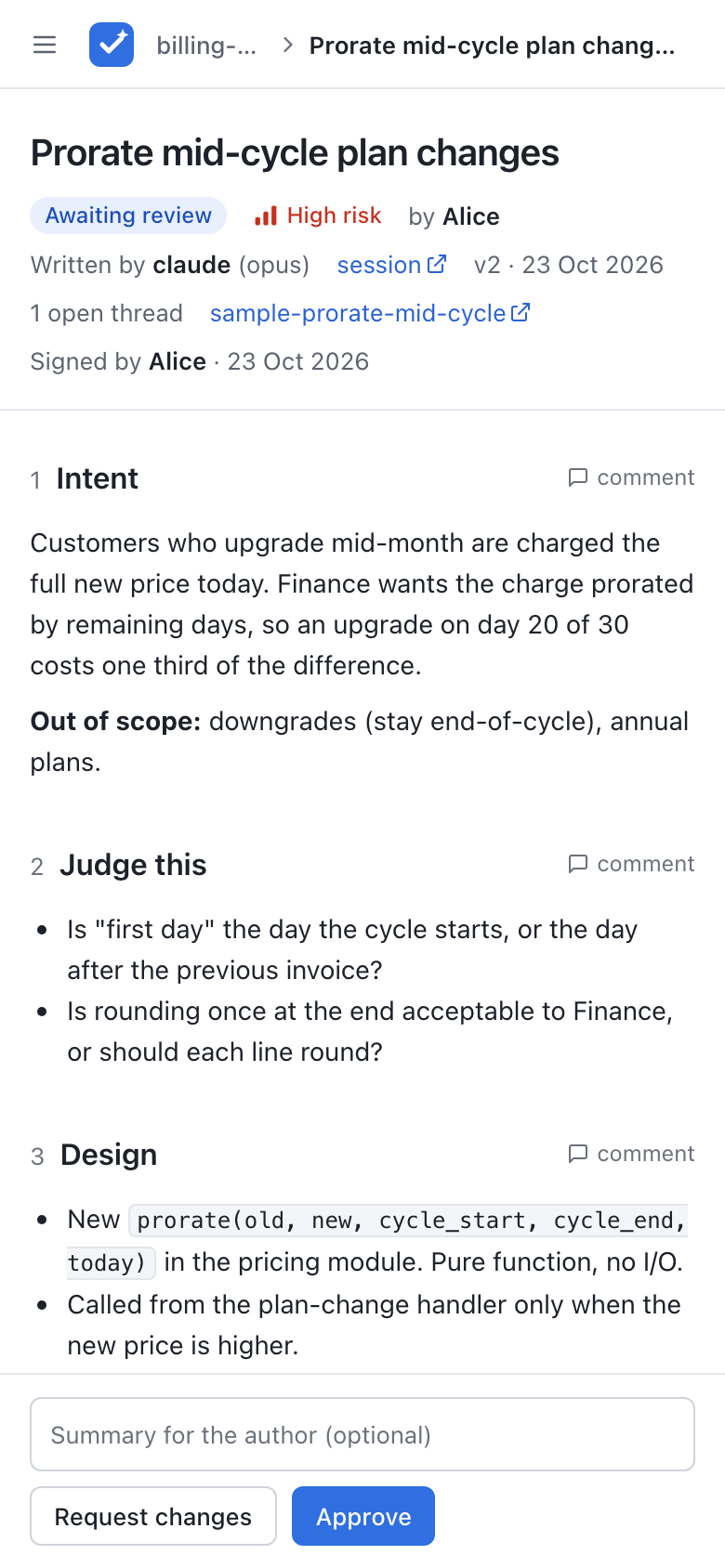
The report
report-template.md is the layout agents should follow. Each section has a one-line hint shown as a quote. What the human must decide comes first, the evidence after.
| Section | Why it is there |
|---|---|
Intent |
The problem, the ticket and what is out of scope. |
Judge this |
The questions only a human can answer, so reviewers know where to look. |
Design |
How it works, and one option that was rejected. |
Edge cases |
One row per worry, with the check that proves it. |
Verification |
What each check proves, the command, the result (✅, ⚠️ or ❌, with a reason for anything not run), a link, and whether it fails if the change is reverted. |
Not verified / assumptions |
What was not checked or was taken on trust. |
Rollback |
How to undo the change. |
Security impact |
What it touches that matters for security, or None with the reason. |
Agent reviews |
What the agent reviewers found, how bad it was, what was done and why. |
Links |
Ticket, deploy, notebook, and the code last. |
Verification, Rollback and Security impact are required by default. See Report rules.
Agent skill
skills/verifair-review/SKILL.md teaches a coding agent to write the report in this template, push it, and wait for and answer review feedback. It never signs or gives verdicts. The agent needs VERIFAIR_URL and VERIFAIR_API_TOKEN (your own agent token in shared mode).
Install it with skills, which works for Claude Code, Codex, Cursor and many other agents:
That installs the newest skill. To match an older server, add its version tag, for example romanzdk/verifair@v0.2.0; the Agent tokens page and the first-run page show the command with your server's version. Without Node.js, download the skill from your server instead (api.md).
API in short
Push a report (push again with the same id to add a version):
curl -sS --fail-with-body -X POST http://localhost:8000/api/reports \
  -H "Authorization: Bearer $VERIFAIR_API_TOKEN" \
  -H "Content-Type: application/json" \
  -d '{"id": "my-change", "project": "billing-service", "title": "Prorate mid-cycle plan changes",
       "risk": "high", "body": "## Intent\n...\n\n## Verification\n...\n\n## Rollback\n...\n\n## Security impact\nNone."}'
# {"id": "my-change", "version": 1, "url": "http://localhost:8000/r/my-change"}
Wait up to 55 seconds for a verdict or a new comment, then read the open threads:
curl -sS --max-time 60 -H "Authorization: Bearer $VERIFAIR_API_TOKEN" \
  "http://localhost:8000/api/reports/my-change/wait?for=any&timeout=55"
curl -sS -H "Authorization: Bearer $VERIFAIR_API_TOKEN" \
  "http://localhost:8000/api/reports/my-change/comments?open=true"
Full reference: api.md (push, read, comments, wait, errors).
Documentation
| Page | What is in it |
|---|---|
| api.md | Push a report, read it, read and answer comments, wait for feedback, errors, required sections, provenance |
| reviewing.md | Inbox and personal views, signing, blocking threads |
| tracing.md | Optional execution evidence, supported capture versions, local conversion, submission and privacy limits |
| access.md | Local and shared mode, sign-in with Google and other providers, members and admins, agent tokens, report ownership, moderation, switching from local to shared |
| configuration.md | All environment variables |
| deployment.md | Run from source, Docker, deploying behind HTTPS, Postgres, backup and restore, upgrading an HTTP deployment |
| report-template.md | The report layout, as a full example |
| CHANGELOG.md | What changed in each version |
Agents can read all of it as Markdown: llms.txt, or every page in one file in llms-full.txt.
Configuration
| Variable | Default | Meaning |
|---|---|---|
VERIFAIR_DATABASE_URL |
required | Postgres connection URL |
VERIFAIR_API_TOKEN |
required in local mode | Bearer token agents use in local mode |
VERIFAIR_BASE_URL |
http://localhost:8000 |
Public URL for links and notifications |
VERIFAIR_OIDC_ISSUER |
unset | Sign-in provider, for example https://accounts.google.com. Turns on shared mode |
VERIFAIR_OIDC_CLIENT_ID |
unset | Shared mode: OAuth client ID |
VERIFAIR_OIDC_CLIENT_SECRET |
unset | Shared mode: OAuth client secret |
VERIFAIR_SESSION_SECRET |
unset | Shared mode: signs the session cookie, at least 32 characters, same on every replica |
VERIFAIR_OIDC_ALLOWED_DOMAINS |
unset | Shared mode: email domains that may sign in, for example example.com. Required with Google |
VERIFAIR_BOOTSTRAP_ADMIN_ID |
unset | Shared mode: email of the first admin |
VERIFAIR_REQUIRED_SECTIONS |
Verification,Rollback,Security impact |
H2 headings every report must have |
VERIFAIR_DB_POOL_SIZE |
10 |
Database connections per process |
VERIFAIR_SLACK_WEBHOOK_URL |
unset | Optional Slack webhook |
VERIFAIR_SMTP_URL |
unset | Shared mode: optional mail server for review request emails, smtp:// or smtps:// |
VERIFAIR_EMAIL_FROM |
unset | Sender address of those emails. Required with VERIFAIR_SMTP_URL |
Details: configuration.md.
Deployment
verifair needs Postgres 16 or newer, and HTTPS for any browser access outside localhost. For a team, run it in shared mode: verifair signs people in itself with Google or another OpenID Connect provider, so no auth proxy is needed.
- Run from source and Docker
- Deploying: sign-in, TLS, Postgres, replicas, probes, backup and restore
- Set up shared mode and switch from local to shared mode
Related projects
verifair reviews the change report, not the diff.
- Tools that review code feed its "Agent reviews" section: CodeRabbit, Greptile, Qodo, Devin Review, Claude Code Review.
- Plan tools such as Kiro and Plannotator can produce the Markdown reviewed before implementation.
- rcliao/comments is the closest one: markdown review with a human-only verdict for agents. verifair adds the evidence template, versions, signing, a web UI for a team, and an API for agents to read and answer comments.
Contributing
Issues and pull requests are welcome. Keep changes small and the language plain.
Each test gets its own schema in that database and drops it at the end. Set VERIFAIR_TEST_DATABASE_URL to use another Postgres. To reset everything, including the data, run docker compose down -v. tests/test_js.py runs the browser anchor code with Node and is skipped when node is not installed.
License
MIT. See LICENSE.